

Alternatives to Very Good Calendar Sync
Very Good Calendar Sync quietly keeps your work, personal, and client calendars aligned on your Mac without linking accounts or exposing sensitive.
Explore 20 alternatives to Very Good Calendar Sync. Compare features, pricing, and find the best fit for your needs.

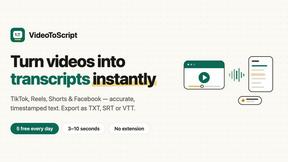
VideoToScript
Turn TikTok, Reels, Shorts, Facebook videos, audio, and video into accurate timestamped transcripts with TXT, SRT, and VTT exports.
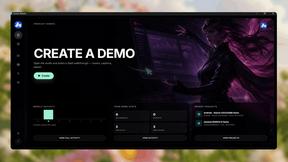
Screen Beaver
Create product videos manually or let your AI agent control Screen Beaver through MCP—no mouse or keyboard needed.


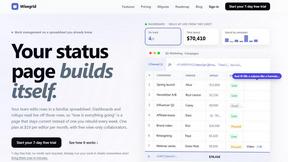
Wisegrid
Wisegrid helps project-driven teams manage projects, workflows, resources, and reporting in a familiar spreadsheet-style workspace.


Postqued
Schedule and publish social content across 10 platforms with one dashboard, API, and MCP built for teams and AI agents.
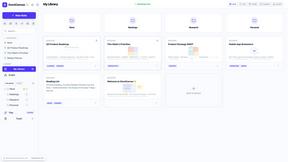
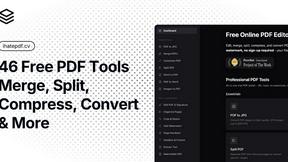
ihatepdf.cv
ihatepdf.cv is a privacy-first, browser-based PDF platform that provides an extensive suite of tools for editing, converting, compressing, organizing,
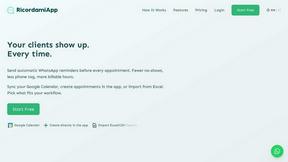
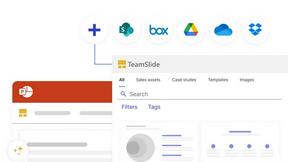
TeamSlide
TeamSlide lets your team build on-brand presentations instantly by syncing approved slides from your content system directly into PowerPoint.
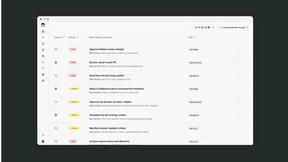
readywhen
readywhen automatically captures your decisions and commitments from tools you already use, then drafts your next steps so you just approve.
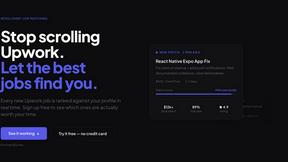
Vibeworker
Vibeworker uses AI to score every new Upwork job against your profile and strategy, sending instant notifications for only the best matches.
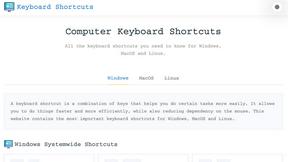
Online Keyboard Shortcuts
OnlineShortcuts.com provides a comprehensive, searchable reference of essential keyboard shortcuts for Windows, macOS, and Linux to boost.

MacBrightness
MacBrightness boosts your Mac screen past its limit to over 1,600 nits for clear visibility in direct sunlight using your existing brightness keys.
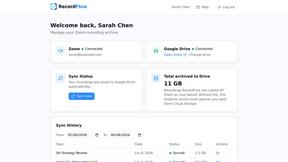
RecordFlow
RecordFlow automatically saves Zoom cloud recordings to Google Drive and can delete them from Zoom to free up storage.
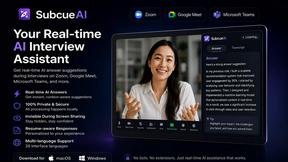
SubcueAI
SubcueAI provides real-time AI-driven answer suggestions and analytics to enhance your video interview preparation and performance.

LaunchPact
LaunchPact connects founders launching near the same date to form mutual upvote pacts and boost Product Hunt rankings together.
About Very Good Calendar Sync Alternatives
Very Good Calendar Sync is a privacy-focused macOS utility designed to automate the synchronization of multiple calendars without relying on cloud storage or third-party servers. It falls under the Productivity & Management category, specifically targeting users who need to keep work and personal schedules aligned without manual effort. While the app excels in its simplicity and offline security model, users often explore alternatives due to factors such as platform limitations, as it only works with macOS Calendar.app, or a desire for cross-platform support across Windows, Android, or iOS devices. Others may seek different pricing models, such as a one-time purchase versus a subscription, or require advanced features like team-based calendar sharing, direct integration with specific business tools like Salesforce or Asana, or more granular control over event visibility and notifications. When evaluating an alternative to Very Good Calendar Sync, the primary considerations should be the synchronization method and security architecture. Look for solutions that clearly state whether data is processed locally or transmitted to external servers, as this directly impacts privacy. Additionally, assess compatibility with your existing calendar services, such as Google Calendar, Outlook, or iCloud, and ensure the tool supports the specific platforms you use. Other critical factors include the flexibility of sync rules, such as filtering by time ranges, weekdays, or event types, and the ease of initial setup. Finally, consider the long-term viability of the tool, including update frequency, customer support quality, and whether the pricing aligns with your budget and usage needs.
FAQs about Very Good Calendar Sync Alternatives
What is Very Good Calendar Sync?
Very Good Calendar Sync is a macOS application that automatically synchronizes calendars available in the macOS Calendar.app without requiring any cloud storage or third-party access. It runs silently in the background, monitoring your calendars and syncing changes such as new meetings or updated events across your selected calendars. The app is designed to be set up once and then forgotten, providing a seamless and private synchronization experience.
Who is Very Good Calendar Sync for?
Very Good Calendar Sync is ideal for consultants managing multiple client calendars, employees balancing work and personal schedules, and freelancers juggling several projects. It is also perfect for anyone who is tired of manually checking multiple calendars and wants to eliminate calendar chaos. The tool is specifically designed for users of macOS who rely on the native Calendar.app and prioritize privacy and simplicity.
Is Very Good Calendar Sync free?
The provided content does not specify the pricing model of Very Good Calendar Sync, so it is unclear whether it is free or a paid application. Users should check the official product page or app store listing for the most current pricing information. Given its niche functionality and focus on privacy, it may be offered as a one-time purchase or a paid download.
Is Very Good Calendar Sync secure?
Yes, Very Good Calendar Sync is designed with a strong emphasis on security and privacy. Your calendar data never leaves your Mac, as the app uses your Mac's native calendar access and does not transmit any information externally. There is no need to share credentials, no third-party access, and no cloud storage involved, ensuring your schedule remains completely private and under your control.