
Best Image & Photo products (22+)
Discover 22+ best image & photo products. Compare features, pricing, and reviews. Free and paid options available.
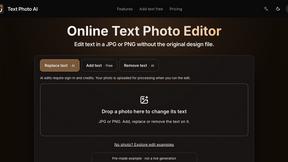
Text Photo AI
Add, replace, or remove words on existing images, with free caption editing and PNG export.
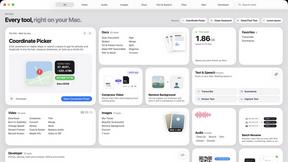
Toolbox for Mac
Toolbox for Mac puts 102 on-device tools for media, PDFs, images and Mac utilities in one app for macOS 15 and later.
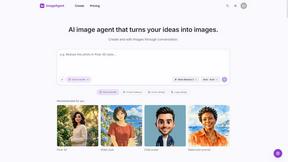
ImageAgent
ImageAgent lets users create and refine images in chat, starting from a written idea or an uploaded visual reference.
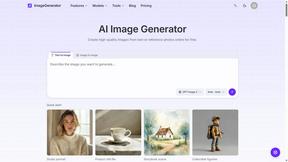
ImageGenerator
Generate images from text or reference photos and keep each result, prompt, and model together in a private library.

Dola AI
Dola AI brings AI image, video, and 3D creation into a web studio with editing tools and visible credit costs.
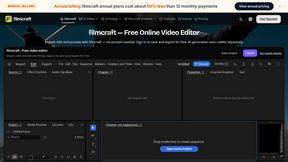
filmcraft
filmcraft is a browser video editor for clip, color, and audio work, with separate AI tools that use credits.
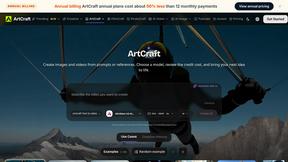
ArtCraft
ArtCraft brings image, video and 3D creation into a web studio, with reference organization and credit-using AI tools.
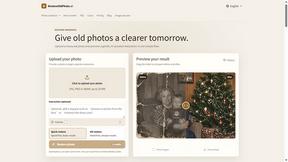
RestoreOldPhoto.ai
RestoreOldPhoto.ai combines photo damage repair and optional colorization, with credit packs that can also be used for photo animation.
AI Age Filter
AI Age Filter applies a +10 to +40 year creative prompt to an adult portrait and returns a downloadable, AI-labelled PNG.

AppIconGenerator
Generate platform-ready iOS and Android app icon assets from an image, with browser-based resizing and optional credit-based AI logo creation.
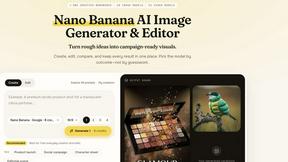
Nano AI
Generate and edit images with 20 AI models, compare one to four variations, and create video using a shared credit balance.
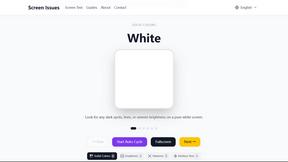
Screen Issues
Screen Issues offers a free online screen test and practical guides for diagnosing display defects on mobile devices and computers.

FreeVideoGenerator
Make short AI video clips from text or photos and compare model inputs, output settings and credit costs before generation.
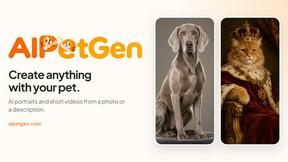
AIPetGen
AIPetGen turns a pet photo or description into a custom image or short video, with prompt controls and credit-based higher-resolution output.
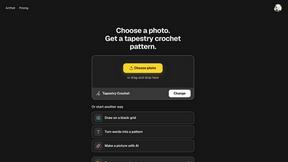
ArtPatt
Turn a photo into a printable pattern for 16 crafts, with craft-specific charts, color palettes and material estimates for makers.
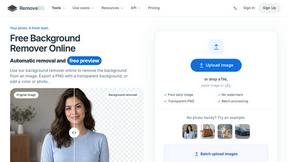
RemoveBGTool
Remove image backgrounds online, refine cutouts with erase and restore brushes, and export transparent PNGs or apply a new background.

RealtyPhoto AI
Prepare property photos with AI interior and exterior enhancement or virtual staging, then review each result before downloading.
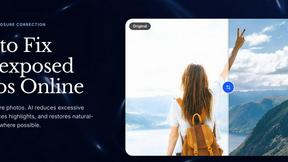
Fix Overexposed Photos
Fix washed-out photos with an automatic AI correction or learn to adjust exposure and highlights in common photo editors.
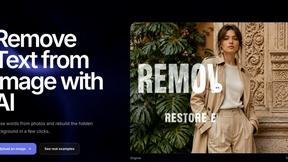
RemoveText
Erase captions, labels and other visible text from images online, with AI-generated background repair and support for selected text.

StyleCut
See more than 70 AI-generated hairstyle and color ideas on your own photo before choosing a look for the salon.

Bulk Photo Editor
Bulk Photo Editor is a free browser tool for adjusting colors, cropping, rotating, flipping, and resizing photos individually or in batches.
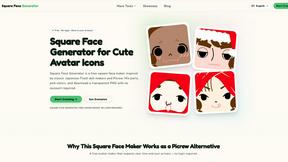
Square Face Generator
Design cute square profile icons with 200+ mixable parts, local browser rendering, and transparent PNG downloads at 256x256 pixels.
Popular Alternatives in Image & Photo
About Image & Photo products
Image and Photo tools help users capture, edit, enhance, organize, and share visual content for personal, creative, and commercial purposes. This category includes photo editors, image enhancers, background removers, batch processing tools, image compression utilities, and AI-powered visual content creation platforms.
Whether you are editing product photos for an online store, enhancing images for social media, removing backgrounds for marketing materials, or managing large photo libraries, these tools provide the visual editing capabilities needed for professional-quality image output.
Compare image and photo tools by their editing features, AI capabilities, batch processing support, output quality, and pricing to find the right solution for your visual content workflow.
FAQs for Image & Photo
What types of image tools are listed?
This category includes photo editors, AI image enhancers, background removal tools, image compression utilities, batch processing platforms, screenshot tools, image format converters, and visual content creation platforms.
Can AI improve my photos automatically?
Yes. Many image tools use AI to automatically enhance resolution, adjust lighting, remove noise, sharpen details, colorize images, and fix common photo issues with minimal manual intervention.
Do image tools support batch processing?
Yes. Many tools offer batch processing for resizing, formatting, watermarking, compressing, and enhancing multiple images simultaneously, saving significant time for users working with large image collections.
What image formats are typically supported?
Most tools support JPEG, PNG, WebP, TIFF, SVG, and GIF formats. Professional tools also support RAW camera formats, PSD, and high-dynamic-range formats. Check individual listings for specific format support.
Are there free image editing tools?
Yes. Many image tools offer free tiers with core editing features, basic AI enhancements, and standard export options. Premium plans typically unlock advanced AI features, batch processing, and higher resolution outputs.
How do image tools handle quality and compression?
Quality image tools use smart compression algorithms that reduce file size while preserving visual quality. Many offer adjustable compression levels and format-specific optimization to balance file size with output quality for your specific use case.