

Alternatives to BoltShot
Capture high-quality screenshots effortlessly with BoltShot's ultra-fast API, perfect for developers and businesses alike.
Explore 14 alternatives to BoltShot. Compare features, pricing, and find the best fit for your needs.

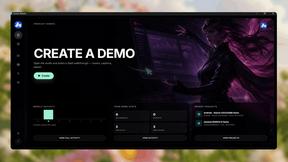
Screen Beaver
Create product videos manually or let your AI agent control Screen Beaver through MCP—no mouse or keyboard needed.
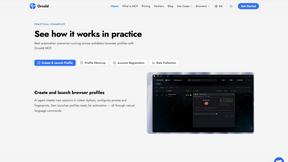
Ornold
Ornold MCP lets AI agents control Chromium and antidetect browsers: click, type, read screens, record workflows, replay profiles without scripts.
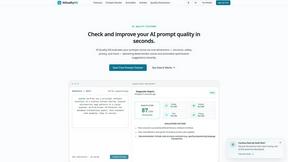
AIQualityHQ
AIQualityHQ is a free, privacy-first tool that evaluates and improves AI prompts instantly across six key dimensions using a deterministic local.
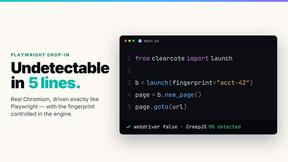
Clearcote
Clearcote is an open-source, de-Googled Chromium drop-in for Playwright and Puppeteer that gives you engine-level fingerprint control for a single.
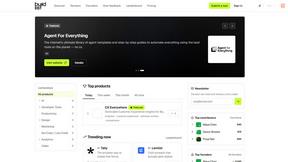
Buildlist
Buildlist lets you instantly list your SaaS on a directory using any AI API key to discover and launch the best tools.
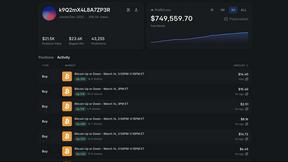
Polymarket Trading Bot For Crypto
This Polymarket bot automates a proven high-frequency arbitrage and directional trading strategy on 5-15 minute crypto markets.

Push My App
Push My App is a unified dashboard that generates ASO-optimized metadata, designs screenshots, scans for rejection risks, and submits directly to.

MCPize
MCPize is a marketplace where developers discover, install, and manage premium MCP servers while publishers earn 80% revenue.
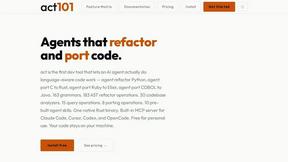
act101
act101 enables AI agents to effortlessly refactor and port code across multiple languages with 163 grammars and advanced AST operations.
Headless Domains
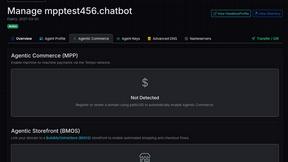
Headless Domains provides AI agents with secure, verifiable identities for seamless interaction across apps, APIs, and marketplaces.
ProcessSpy
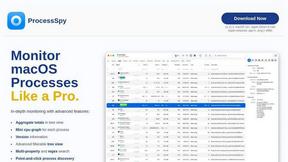
ProcessSpy is an advanced process monitor for Mac, providing detailed insights and real-time analysis of system processes effortlessly.
About BoltShot Alternatives
BoltShot is a specialized API designed for capturing high-quality screenshots from URLs without the complexity of browser operations. It falls within the category of development tools, specifically catering to developers and businesses that require efficient, reliable, and customizable screenshot capabilities. By offering features such as full-page capture, device emulation, and CSS selector support, BoltShot streamlines tasks that involve visual content generation and archiving. Users often seek alternatives to BoltShot due to a variety of reasons, including pricing structures, specific feature requirements, or compatibility with existing platforms. When evaluating alternatives, it’s crucial to consider factors such as ease of integration, the range of supported formats, performance metrics, and the availability of customer support. Understanding your workflow and technical needs can help you make an informed decision, ensuring that the chosen solution aligns well with your objectives and delivers the desired results.
FAQs about BoltShot Alternatives
What is BoltShot?
BoltShot is a website screenshot API that enables users to convert URLs into high-quality screenshots in formats like PNG, JPEG, WebP, and PDF through simple API requests. It allows for full-page captures and device emulation, making it a versatile tool for developers and businesses seeking to automate visual content generation.
Who is BoltShot for?
BoltShot is designed for developers, businesses, and teams that require reliable screenshot capabilities for various applications, such as e-commerce previews, automated reporting, web archiving, and compliance monitoring. Its user-friendly API makes it accessible for both technical and non-technical users.
Is BoltShot free?
BoltShot offers various pricing plans to cater to different user needs, but it does not provide a completely free version. Users should check the official website for detailed pricing information and any available trial options that may allow them to explore its features before committing.
What are the main features of BoltShot?
The main features of BoltShot include high-quality screenshot generation in multiple formats, full-page capture, device emulation, CSS selector support for specific element targeting, ad blocking, cookie banner removal, and advanced capabilities such as S3 uploads and custom user agents. These features enable users to efficiently capture and render web content as needed.