
BoltShot
Capture high-quality screenshots effortlessly with BoltShot's ultra-fast API, perfect for developers and businesses alike.
Visit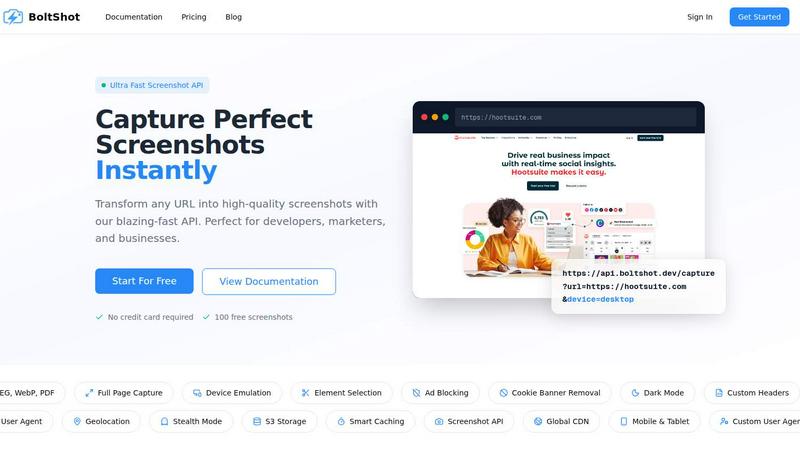
About BoltShot
BoltShot is an advanced website screenshot API that allows developers and businesses to capture high-quality screenshots of any web page simply by providing a URL. This powerful tool transforms URLs into visually appealing images in various formats, including PNG, JPEG, WebP, and PDF, through straightforward API requests. Designed with flexibility in mind, BoltShot supports full-page captures, device emulation for mobile, tablet, and desktop, as well as custom viewport settings. This means users can capture specific parts of a webpage using CSS selectors, ensuring they get exactly what they need without unnecessary information. Features such as ad blocking, cookie banner removal, and smart caching streamline the process, producing clean and efficient results. With advanced capabilities like S3 uploads with CDN delivery, geolocation emulation, and custom headers, BoltShot integrates seamlessly into workflows for e-commerce previews, automated reporting, web archiving, and compliance monitoring. This eliminates the need for managing cumbersome browser clusters or infrastructure, making it an ideal choice for developers and businesses alike.
Features of BoltShot
Full-Page Capture
BoltShot allows users to capture entire web pages, ensuring that they do not miss any content. With automatic scrolling, it generates a single image that represents the entire page, making it perfect for documentation and presentations.
Device Emulation
This feature enables users to view how a webpage will appear on different devices. By simulating mobile, tablet, and desktop environments, BoltShot helps developers and marketers ensure their content is optimized for all screen sizes.
Element Selection
With the ability to specify CSS selectors, BoltShot allows users to focus on particular elements of a webpage. This targeted capture capability is ideal for creating focused previews or showcasing specific features without extraneous content.
Clean Capture
BoltShot excels in delivering pixel-perfect screenshots by automatically removing distractions such as ads, cookie banners, and other overlays. This clean capture feature ensures that the final images present a professional appearance, free from clutter.
Use Cases of BoltShot
E-commerce Previews
Businesses can leverage BoltShot to create stunning previews of their products. By capturing high-quality images of product pages, they can enhance their marketing materials and improve customer engagement.
Automated Reporting
Developers and analysts can utilize BoltShot for generating automated reports that include visual representations of web pages. This functionality is invaluable for monitoring changes in web content and ensuring compliance with standards.
Web Archiving
BoltShot is an excellent tool for web archiving, allowing users to capture and store snapshots of websites at specific points in time. This is essential for preserving content for future reference or legal compliance.
Testing and Quality Assurance
In the realm of software development, BoltShot aids in quality assurance by providing visual snapshots of web applications. This allows teams to quickly identify and address any UI issues that may arise during development.
Frequently Asked Questions
What types of image formats does BoltShot support?
BoltShot supports multiple image formats including PNG, JPEG, WebP, and PDF, allowing users to choose the format that best suits their needs.
Can I capture specific elements of a webpage?
Yes, BoltShot provides the ability to use CSS selectors to capture specific elements of a webpage, ensuring that users can focus on the content that matters most to them.
How does BoltShot handle distractions like ads and cookie banners?
BoltShot features built-in ad blocking and cookie banner removal capabilities, which automatically filter out unwanted distractions, resulting in clean and professional screenshots.
Is there a free trial available for BoltShot?
Yes, BoltShot offers a free trial that includes 100 free screenshots, allowing users to test the API without the need for a credit card. This enables potential customers to experience its capabilities firsthand before committing.
Similar to BoltShot

Screen Beaver
Create product videos manually or let your AI agent control Screen Beaver through MCP—no mouse or keyboard needed.
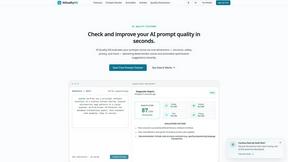
AIQualityHQ
AIQualityHQ is a free, privacy-first tool that evaluates and improves AI prompts instantly across six key dimensions using a deterministic local.
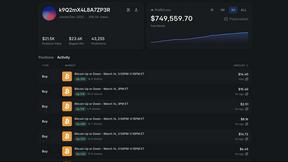
Polymarket Trading Bot For Crypto
This Polymarket bot automates a proven high-frequency arbitrage and directional trading strategy on 5-15 minute crypto markets.