
Tagada
Tagada lets you highlight, tag, and organize Gmail sentences locally for faster replies with total privacy and no cloud.
Visit
About Tagada
Tagada is a browser extension designed to transform how professionals read and reply to emails within Gmail, all while ensuring complete data privacy. Unlike traditional methods that often involve writing replies in colored text directly inside the original message, Tagada offers a structured and efficient approach. It parses incoming emails into individual, clickable sentences. Users can then highlight, tag, and organize these sentences by category with a single click. This process allows for the automatic generation of clean reply templates built around the points that matter most, helping users respond faster and with greater clarity.
The product is ideal for a wide range of professionals, including support teams, freelancers, consultants, and anyone who manages long or complex email threads. Its primary value proposition lies in cutting response time, structuring replies for better communication, and keeping all user data fully private. A key differentiator is that all processing happens 100% locally on the user's device. There is no reliance on artificial intelligence, cloud servers, or third-party services. This means that emails never leave the Gmail environment, addressing a critical concern for those handling sensitive information. Tagada works directly inside the familiar Gmail interface, eliminating the need to learn a new tool or switch platforms. By breaking down complex messages into manageable pieces and allowing for quick categorization, Tagada helps users stay organized, maintain context, and ensure their key points are always noticed, leading to more effective and professional email communication.
Features of Tagada
Instant Email Parsing
Tagada automatically breaks down incoming Gmail messages into individual, clickable sentences. This feature transforms a dense block of text into a structured list of key points, making it far easier to digest complex information. Instead of manually scanning and re-reading long paragraphs, users can instantly see the core components of an email, which streamlines the process of identifying what needs a response.
One-Click Highlighting and Tagging
After parsing, users can highlight any sentence and assign it a category tag with a single click. This organizational tool allows for quick sorting of information by theme, priority, or action required. For example, a user can tag sentences as "Action Item," "Question," "Important Note," or create custom categories. This visual organization helps in quickly locating critical details when crafting a reply.
Auto-Generated Reply Templates
Based on the sentences a user has highlighted and tagged, Tagada can automatically generate a clean reply template. This template is structured around the selected points, ensuring that no important question or request is missed. Instead of starting from a blank slate, users receive a logical outline for their response, which they can then edit and expand upon. This feature significantly reduces the time spent on structuring replies and improves the completeness of communications.
100% Local and Private Processing
All of Tagada's processing occurs directly on the user's computer, within the Gmail interface. No email content, user data, or personal information is ever sent to external servers or cloud services. There is no AI involved, and no third-party has access to the user's messages. This ensures that sensitive business communications, client details, and personal information remain completely private and under the user's control, providing peace of mind for professionals who prioritize data security.
Use Cases of Tagada
Managing High-Volume Support Tickets
Support teams dealing with dozens of daily emails can use Tagada to quickly parse customer inquiries. They can highlight key issues, tag them by category (e.g., "Billing," "Technical Issue," "Feature Request"), and generate a structured reply that addresses each point. This ensures consistent, complete responses and reduces the time spent on each ticket, improving overall team efficiency and customer satisfaction.
Streamlining Freelance Client Communications
Freelancers often manage multiple projects with different clients. Tagada helps them break down client emails to extract specific instructions, deadlines, and feedback. By tagging sentences as "Action Required" or "Client Feedback," they can create clear, actionable reply templates. This keeps projects on track, reduces the risk of misunderstanding, and presents a highly organized and professional image to clients.
Structuring Complex Consultant Reports
Consultants frequently receive long, multi-faceted emails containing data, questions, and requests. Tagada allows them to parse these complex messages, highlight key data points, and tag different sections for their response. This ensures that all aspects of a client's communication are addressed systematically, leading to more thorough and well-structured replies that demonstrate attention to detail and expertise.
Improving Executive Email Efficiency
Executives who receive a high volume of critical emails can use Tagada to quickly identify and prioritize the most important information. By highlighting action items and tagging them for delegation or follow-up, they can generate concise reply templates that focus on key decisions. This reduces time spent on email management, allowing them to respond faster and focus on strategic tasks without getting bogged down in lengthy threads.
Frequently Asked Questions
Is Tagada free?
Tagada can be used without a paid license, but with limited functionality. For a better experience that includes full access to all features like unlimited highlighting and template generation, we suggest purchasing a license. The free version allows you to test the core functionality before committing.
What data do you collect?
We only collect essential data to enhance your experience: your first name, email address, and language preference. We respect your privacy and do not collect any unnecessary information, such as the content of your emails, browsing history, or personal files.
Do you send our emails to your servers?
No, your emails are never sent to our servers. Everything remains local on your device. At Tagada, we make sure that your data stays private and under your control. All parsing, highlighting, and template generation happens directly within your browser and Gmail interface.
Some emails get broken, how can I fix it?
If your emails appear to be corrupted or disorganized after using the extension, the best solution is to disable the extension, reply to your emails normally, and then re-enable it. Some emails may have a specific or unusual HTML structure that the extension is unable to parse correctly. This temporary workaround ensures you can still communicate without interruption.
What happens if I switch computers?
Since Tagada operates as a browser extension and processes data locally, your highlights and tags are stored in your browser's local storage. They will not automatically transfer to another computer. To maintain your categorized emails across devices, you would need to install the extension on each device and re-highlight as needed. We are exploring sync solutions for the future.
Explore more in this category:
Similar to Tagada

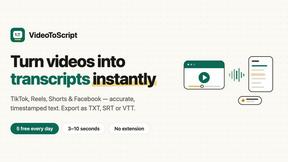
VideoToScript
Turn TikTok, Reels, Shorts, Facebook videos, audio, and video into accurate timestamped transcripts with TXT, SRT, and VTT exports.
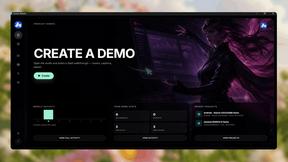
Screen Beaver
Create product videos manually or let your AI agent control Screen Beaver through MCP—no mouse or keyboard needed.



TchoAI
Turn documents, notes, and data into clear, editable presentations in minutes.
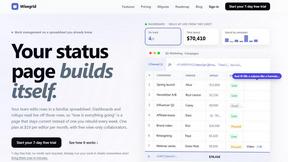
Wisegrid
Wisegrid helps project-driven teams manage projects, workflows, resources, and reporting in a familiar spreadsheet-style workspace.
