
Best Freemium products (172+)
Discover 172+ best freemium products. Compare features, pricing, and reviews. Free and paid options available.

StackLedge
StackLedge helps makers and tool seekers find reviewed automation, AI and SaaS listings, including n8n workflows and community nodes.

SilentCut
SilentCut helps video editors clean up speech-led recordings by cutting silence, filler words, and retakes in supported editing workflows.

RBQexam
RBQexam helps Quebec contractor candidates prepare with practice questions tied to RBQ exam profiles, official law references, and timed mock exams.

Slide-Easy
Slide-Easy creates AI-labeled Instagram content from app pages and feedback on supported Macs, for indie developers who want review before publishing.

MyBankStatementAnalysis
Analyze bank statement PDFs with AI to categorize transactions, compare income and spending, and spot recurring charges and possible savings.
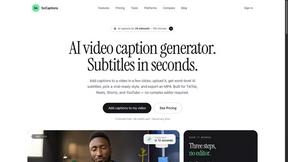
SoCaptions
SoCaptions creates word-timed captions for short videos and exports burned-in MP4s or SRT and VTT files.

ArtPatt
Turn a photo into a printable pattern for 16 crafts, with craft-specific charts, color palettes and material estimates for makers.
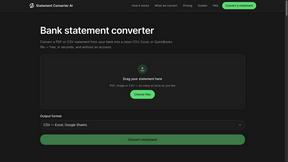
Statement Converter AI
Turn bank and credit card statements into spreadsheets and finance app files, with three free pages on the first upload and pay-per-batch pricing.
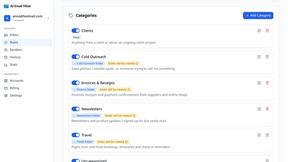
AI Email Filter
Sort Gmail, Fastmail, and IMAP email with plain-language categories, sample review, and multi-action rules for everyday inbox work.

VideoAny
VideoAny is a video-first AI studio that also generates images and audio, with prompt and image workflows for creative production.

RemoveBGTool
Remove image backgrounds online, refine cutouts with erase and restore brushes, and export transparent PNGs or apply a new background.
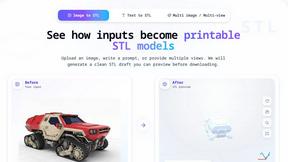
ImageToSTL
Create an STL draft from a JPG, PNG, JPEG, or WEBP image, then inspect the model in a browser preview.

Techory
Techory gives field service teams a shared workspace for jobs, appointments, inventory, estimates and billing.
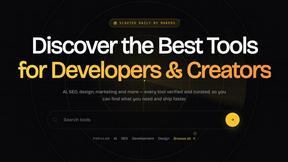
ToolSift
ToolSift helps creators and software teams browse verified tools through focused categories, workflow collections, and editorial comparisons.
Wordy
Wordy helps language learners pick up vocabulary from movie and TV clips using synced subtitles, highlighted words, and short quizzes.

Unbound AI
Unbound AI combines AI image, video, and audio tools, with generation from text prompts or reference images and one-time credit packs.

DeepFake
DeepFake combines AI video, image, face exchange, and music tools in one studio for creators building short-form visual content.
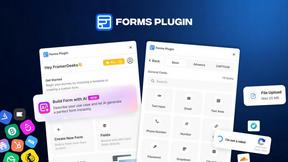
Forms Plugin
Forms Plugin builds AI-assisted forms in Framer with 30+ fields, multi-step flows and native connections for teams collecting structured responses.

Tally Counter
Keep a digital count for attendance, classroom participation, or repeated recitations with separate counters for each activity.


AkraLabs
AkraLabs is an interactive directory for finding and launching AI, SaaS, and developer software across 12 themed sectors.

iHatePosting
iHatePosting lets teams plan social posts in a calendar, publish across 15 networks and connect AI agents or automation workflows.
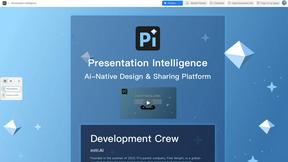
Pi
Pi turns ideas and source material into editable presentations with AI-generated outlines, slide layouts, and controls for refining deck design.
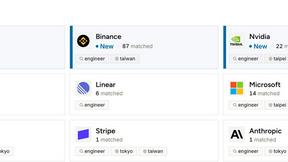
JobBeacon
JobBeacon tracks company careers pages and emails matching job openings based on keywords and locations you choose.

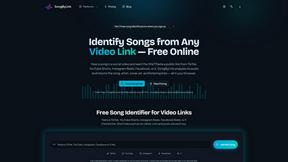
SongByLink
Identify songs in TikTok, YouTube Shorts, Instagram Reels, Facebook Reels, or X videos by pasting a public link in your browser.

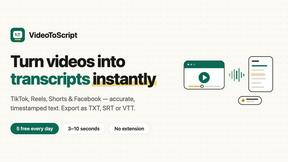
VideoToScript
VideoToScript makes timestamped transcripts from TikTok, Instagram Reels, YouTube Shorts, and Facebook, with TXT, SRT, and VTT downloads.

Screen Beaver
Screen Beaver creates polished Windows product demos with screen and Android capture, automatic effects, and optional MCP powered walkthroughs.
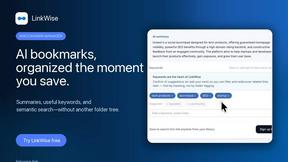
LinkWise
LinkWise helps researchers turn saved articles, videos, and sites into searchable sources with citations and portable exports.

Nuveda AI
Nuveda AI combines model choice, sourced web research, file analysis, and content creation in a shared workspace for creators and teams.

Vismuse
Vismuse creates AI images and videos from prompts or references and supports ongoing edits through a conversational workflow.
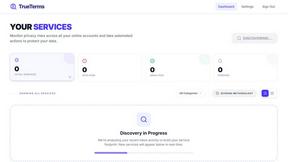
TrueTerms
TrueTerms monitors Gmail for service policy updates and turns legal terms into clear summaries, privacy risks, and opt-out actions.

Wisegrid
Wisegrid keeps teams in a familiar spreadsheet grid while adding dashboards, reporting, forms and automation for project and operational workflows.

SocialNest
SocialNest combines creator profile pages and business tools, with free deal tracking and invoicing plus paid scheduling for frequent publishers.

UGCad AI
UGCad AI turns product URLs or scripts into creator-style video ads with AI avatars, editing, localization, and campaign tools.
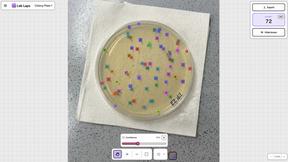
Lab Laps
Lab Laps helps researchers manage protocols and bench work with multi-timers, AI-assisted colony counts, plate maps and built-in lab calculations.

MathIt
MathIt offers daily grade games, mental-math drills and logic puzzles alongside live math battles for two to five players.

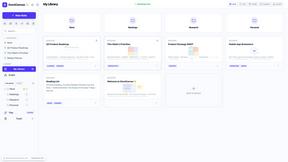
OmniCanvas
OmniCanvas is an infinite-canvas notes app for visual thinkers, combining sketches, documents, linked ideas, and optional meeting transcription.
Popular Alternatives in Freemium
About Freemium products
Freemium tools provide valuable free tiers alongside optional paid upgrades for advanced features, higher limits, and premium support. This pricing model lets you start using a product immediately without cost, evaluate whether it meets your needs, and upgrade only when you require additional capabilities that justify the investment.
Freemium tools are ideal for growing teams and businesses that want to validate a tool's value before committing budget. The free tier typically includes enough functionality for individual users or small projects, while paid plans unlock team collaboration, advanced features, and enterprise-grade capabilities.
Browse freemium tools to find software that lets you start for free and scale your investment as your requirements and team grow, creating a natural path from evaluation to full adoption.
FAQs for Freemium
What is the freemium pricing model?
Freemium tools provide a free tier with core features and paid plans that unlock advanced capabilities, higher usage limits, priority support, team features, and additional integrations. You can use the free version indefinitely and upgrade when needed.
What features are typically free vs paid?
Free tiers usually include core functionality for individual use. Paid plans typically add team collaboration, advanced analytics, API access, higher storage or usage limits, custom branding, priority support, and enterprise security features.
Is the free tier limited on purpose?
Free tiers are designed to provide genuine value while encouraging upgrades as needs grow. Limitations are usually on usage volume, team size, or advanced features rather than on core product quality or reliability.
How do I know when to upgrade from free?
Consider upgrading when you hit usage limits regularly, need team collaboration features, require advanced functionality, want priority support, or when the tool has become critical enough to your workflow to justify the investment.
Can I downgrade back to free after upgrading?
Most freemium tools allow downgrading to the free tier, though you may lose access to premium features and data that exceeds free tier limits. Check each tool's downgrade policy before upgrading.
Are freemium tools trustworthy for business use?
Yes. Many successful business tools use the freemium model. Companies invest in making the free tier valuable because satisfied free users become paying customers. Evaluate each tool's stability, security, and reputation independently.