
QUVIAI
QUVIAI is an AI platform that generates photorealistic visuals, 3D scenes, videos, and music from simple text or image inputs.
Visit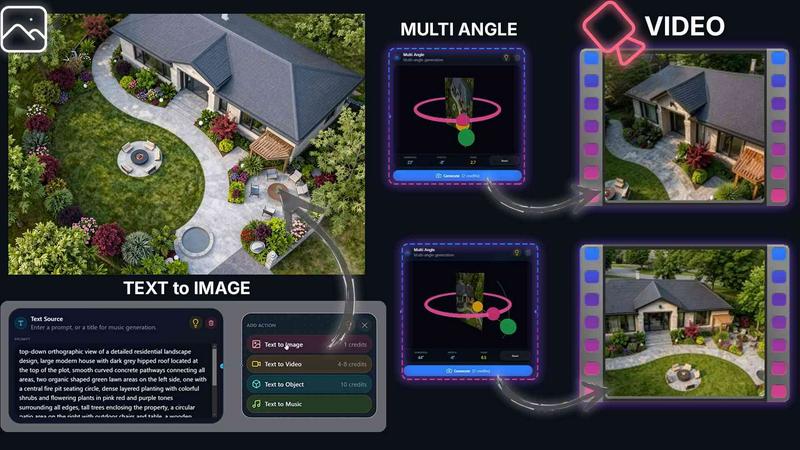
About QUVIAI
QUVIAI is an all-in-one AI-powered creative platform designed specifically for architects, designers, and creators who need to rapidly visualize and iterate on their ideas. The platform eliminates the need to juggle multiple software applications by providing a comprehensive suite of tools that transform simple inputs into production-ready outputs. Users can upload a sketch, a reference image, or a 3D model and convert it into photorealistic renders, cinematic videos, multi-angle views, floor plan renders, 3D objects, and even original music within a single, unified workspace.
At the heart of QUVIAI is a built-in 3D workspace that allows professionals to model, render, and refine their projects without switching between separate tools. This integrated environment supports scene editing through intuitive text prompts, enabling users to adjust materials, lighting, and composition with natural language commands. Additionally, the platform empowers users to generate custom furniture and decorative objects, stage them precisely within a scene, and produce cinematic walkthroughs by defining start and end frames. QUVIAI is available across web, iOS, and Android platforms, making it accessible for both studio and on-the-go workflows. With free credits available upon signup, it offers a low-risk entry point for professionals looking to accelerate their creative process and deliver high-quality visualizations faster than ever before.
Features of QUVIAI
AI Image Generation
Turn any text prompt or reference image into stunning photorealistic architectural renders in seconds. This feature leverages advanced AI models to interpret your design intent and produce high-fidelity visuals that capture accurate lighting, materials, and spatial relationships. Whether you are starting from a rough sketch or a detailed description, the image generation suite delivers professional-grade results that can be used for client presentations, design development, or concept exploration.
AI Video Creation
Animate still images, generate walk-throughs, or create cinematic sequences from a single text prompt or source image. This feature allows architects and designers to bring their static renders to life by adding motion, camera paths, and atmospheric effects. Users can produce engaging video content for project pitches, marketing materials, or social media without needing specialized video editing skills. The tool supports both text-to-video and image-to-video workflows for maximum flexibility.
Multi Angle Camera
Generate multiple architectural viewpoints from one source image to create richer, presentation-ready perspective sets. This feature automatically produces a series of coordinated views, such as front, side, bird's-eye, and interior perspectives, all derived from a single input. It saves significant time during the design review process by providing a comprehensive visual story of a project, making it easier to communicate spatial qualities and design features to clients and stakeholders.
Object Staging
Stage generated 3D objects into scene backgrounds and produce polished compositions with consistent lighting. This feature enables users to populate empty spaces with furniture, fixtures, and decorative items that are automatically generated and seamlessly integrated into the existing environment. The AI ensures that the objects match the scene's lighting conditions and perspective, resulting in realistic and cohesive visualizations without manual adjustment.
Use Cases of QUVIAI
Architectural Design Visualization
Architects can use QUVIAI to rapidly transform initial sketches or 3D models into photorealistic renders for client presentations and design reviews. By leveraging the AI image generation and rendering tools, they can explore multiple material options, lighting scenarios, and color palettes in minutes. The ability to generate multi-angle views and cinematic walkthroughs further enhances the communication of spatial design intent, helping to secure project approvals faster.
Real Estate Marketing
Real estate professionals can create compelling marketing materials by converting floor plans or existing property photos into polished, staged renders and videos. The object staging feature allows them to virtually furnish empty rooms with modern furniture, making spaces more appealing to potential buyers. Cinematic walkthroughs generated from start and end frames provide immersive property tours that can be shared on listing websites and social media platforms.
Interior Design and Decoration
Interior designers can experiment with different furniture layouts, color schemes, and decorative elements using the text-to-image and object staging capabilities. They can generate custom pieces that fit a specific aesthetic and place them within a room to see how they interact with natural and artificial light. This iterative process allows designers to present multiple design options to clients quickly, reducing the time spent on manual rendering and revisions.
Concept Art and Visual Storytelling
Creators and concept artists can use QUVIAI to generate fantastical environments and scenes for games, films, or virtual reality experiences. The platform's ability to turn text prompts into detailed architectural imagery, combined with music generation, enables the creation of complete mood boards and atmospheric sequences. This accelerates the early stages of world-building and allows artists to explore a wide range of visual directions before committing to a final design.
Frequently Asked Questions
What types of input files does QUVIAI support?
QUVIAI supports a variety of input formats to accommodate different workflows. You can upload sketches, reference images in standard image formats such as JPEG and PNG, as well as 3D models. The platform is designed to interpret these inputs and transform them into photorealistic renders, videos, and other creative outputs. The built-in 3D workspace also allows you to create and edit geometry directly within the application.
Can I use QUVIAI on my mobile device?
Yes, QUVIAI is available on multiple platforms including web, iOS, and Android. This cross-platform support ensures that you can access your projects and continue working whether you are in the studio, on a construction site, or meeting with clients. The mobile apps are optimized for touch interfaces, making it easy to navigate the tools and generate content on the go.
Is there a free trial available for QUVIAI?
Yes, QUVIAI offers a free trial that includes credits to get started. When you sign up, you receive free credits that allow you to generate your first renders, videos, and other outputs without any initial payment. This gives you the opportunity to explore the platform's features and evaluate its suitability for your workflow before committing to a paid plan.
What kind of support is available for users?
QUVIAI provides several support channels to assist users. You can access a dedicated support section on the website, use the contact form for direct inquiries, and refer to the platform's help documentation. The company, Quick Vision Studios, is committed to ensuring a smooth user experience and offers assistance for technical issues, feature questions, and account management.
Similar to QUVIAI

StyleCut
StyleCut is an AI hairstyle changer that lets you preview 70+ haircut ideas on your own photo before visiting the salon.
Vismuse
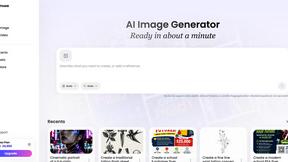
Create polished AI images and videos from prompts or references for social posts, ads, flyers, album covers, and campaigns.
StopScroll
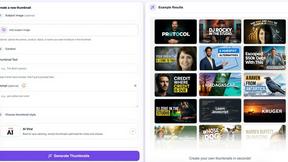
AI YouTube thumbnail maker that helps creators generate high-click thumbnails faster.

HubVanta AI
HubVanta AI helps creators generate images and videos with advanced AI tools for visual content workflows.
Yume Comic
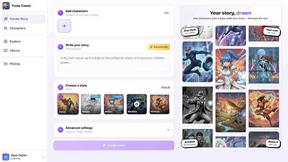
Yume Comic transforms your story ideas into professional manga and webtoon pages with consistent characters and no drawing skills required.
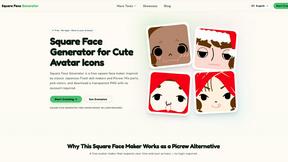
Square Face Generator
Square Face Generator is a free, browser-based avatar maker that lets you mix and match parts to create cute square icons and download them as.