
Push My App
Push My App is a unified dashboard that generates ASO-optimized metadata, designs screenshots, scans for rejection risks, and submits directly to.
Visit
About Push My App
Push My App is an all-in-one platform designed specifically for indie developers and small studios to prepare, optimize, and submit app listings to both the Apple App Store and Google Play Store. The product eliminates the tedious, multi-day manual process of app store submission by consolidating every step into a single, intuitive dashboard. At its core, Push My App leverages artificial intelligence to generate search-optimized metadata including app names, keywords, descriptions, and release notes, all tailored for App Store Optimization (ASO) in seconds. Beyond metadata generation, the platform includes a Pre-Flight Rejection Scanner that checks your build and listing against over 80 known rejection reasons from Apple and Google before you ever hit submit, dramatically reducing the risk of costly rejections. Additional capabilities include automatic screenshot resizing across all required device sizes, full listing translation into 14 languages with locale-specific keyword re-optimization, and direct one-click submission to App Store Connect and Google Play Console. Users can simply drop their .ipa, .apk, or .aab file and the platform extracts the bundle ID, version, and icon, validates compliance, and submits directly. Push My App also enables users to generate a website and support mailbox for their app using existing metadata and screenshots. Built for developers who would rather spend their time coding than wrestling with store submission requirements, Push My App transforms what used to take days of manual effort into a process that takes minutes, allowing developers to ship their next release up to five times faster.
Features of Push My App
AI-Generated ASO Metadata
This feature uses artificial intelligence to automatically write your app name, subtitle, keywords, description, and release notes, all optimized for discoverability on both the App Store and Play Store. The AI generates these elements in seconds, scoring each component for effectiveness against ASO best practices. For example, titles are scored out of 30, keywords out of 100, and subtitles out of 30, giving you clear, measurable feedback on the quality of your metadata. This eliminates hours of manual research and guesswork, ensuring your app is positioned for maximum visibility from the moment it goes live.
Pre-Flight Rejection Scanner
Before you submit your app to either store, this feature scans your binary and listing against a database of over 80 known rejection reasons from both Apple and Google. It identifies potential blockers such as missing privacy manifests, incorrect permissions, or policy violations that commonly lead to rejection. The scanner provides a clear readiness score for each store, such as 96 percent for the App Store and 82 percent for the Play Store, along with specific actionable items to address. This proactive validation saves developers from the frustration and delays of rejection cycles, allowing them to fix issues before they ever reach the review team.
Screenshot Resizer and Asset Manager
With this feature, you upload a single set of screenshots and the platform automatically generates every required device size for both the App Store and Play Store. This eliminates the tedious and error-prone process of manually resizing screenshots for different devices such as iPhones, iPads, Android phones, and tablets. The tool also handles app icon and feature graphic resizing and cropping for all required dimensions. Additionally, it includes device framing and dynamic marketing text overlays, enabling you to create professional, consistent visual assets across all store requirements instantly.
App Translator with Locale-Specific Optimization
This feature translates your entire app store listing into 14 languages, including English, Spanish, German, French, Japanese, Portuguese, and eight more. Critically, it does not simply perform a direct translation of your keywords and descriptions. Instead, it re-optimizes the keywords for each specific locale, ensuring that your app remains discoverable in search results across different regions and languages. This localization capability is essential for developers targeting international markets, as it adapts your ASO strategy to local search behavior and cultural nuances, significantly expanding your potential user base.
Use Cases of Push My App
Solo Indie Developer Launching a New App
A solo developer who has just completed coding their first mobile app faces the daunting task of preparing and submitting listings to both the App Store and Play Store. Instead of spending two to three days manually researching keywords, writing descriptions, resizing screenshots, and navigating the complex submission processes, they can use Push My App. They simply upload their app file, and the AI generates optimized metadata, resizes screenshots, scans for rejection risks, and allows direct one-click submission to both stores. This frees the developer to focus on coding improvements or marketing while ensuring a professional, compliant launch.
Small Studio Managing Multiple App Updates
A small mobile game studio with several titles in their portfolio needs to release updates regularly across both platforms. Manually updating metadata, release notes, and screenshots for each app every time is inefficient and prone to errors. Push My App provides a centralized dashboard where the team can manage all their apps side by side, view version history automatically, and track submission status. The AI generates release notes and re-optimizes keywords for each update, while the rejection scanner ensures compliance with the latest store policies. This streamlines the entire update process, allowing the studio to ship updates five times faster.
Developer Expanding into International Markets
A developer whose app has been successful in English-speaking markets wants to expand into Germany, Japan, and France. Translating the entire listing manually and researching keywords for each new market is a significant time investment. With Push My App, the developer translates their full listing into 14 languages in minutes, with keywords automatically re-optimized per locale. The platform ensures that the app remains discoverable in local search results, adapting to different cultural contexts and search behaviors. This dramatically reduces the barrier to international expansion and accelerates global user acquisition.
Team Preparing for a High-Stakes Product Launch
A startup team is preparing to launch a productivity app with a tight deadline and significant pre-launch marketing investment. They cannot afford a rejection that would delay their launch and waste marketing spend. Using Push My App, the team runs the Pre-Flight Rejection Scanner against their build and listing, identifying and fixing a privacy manifest blocker before submission. They preview their App Store and Play Store pages side by side with a diff against their last submission to ensure consistency. The direct submission feature with pre-submission validation gives them confidence that their launch will proceed smoothly, turning a week of stressful busywork into an afternoon of efficient execution.
Frequently Asked Questions
What file types does Push My App support for upload?
Push My App supports .ipa files for iOS submissions and .apk or .aab files for Android submissions. When you drop your file into the platform, it automatically extracts the bundle ID, version number, and app icon. It also validates compliance with store requirements before submission. This streamlined file handling eliminates the need to manually enter these details, reducing the risk of errors and saving significant time during the submission process.
How does the Pre-Flight Rejection Scanner work?
The Pre-Flight Rejection Scanner analyzes your app binary and store listing against a comprehensive database of over 80 known rejection reasons from both Apple and Google. It checks for issues such as missing privacy manifests, incorrect permission descriptions, policy violations, and technical compliance problems. After scanning, it provides a readiness score for each store, such as 96 percent for the App Store, along with specific, actionable items that need to be addressed. This allows you to fix problems before submission, avoiding the time-consuming rejection and resubmission cycle.
Can I manage both iOS and Android apps from the same dashboard?
Yes, Push My App is designed as a unified platform for managing both iOS and Android apps side by side. The App Profile Page serves as a command center where you can see all your app versions, metadata, and submission status for both platforms in one view. You can preview your App Store and Play Store pages simultaneously and compare them against previous submissions using a diff tool. This unified approach eliminates the need to switch between App Store Connect and Google Play Console for basic management tasks.
What languages are supported for translation and keyword optimization?
Push My App supports translation of your full app store listing into 14 languages. These include English, Spanish, German, French, Japanese, and Portuguese, along with eight additional languages. Critically, the platform does not simply perform literal translations. It re-optimizes your keywords for each specific locale, ensuring your app remains discoverable in local search results. This means the keywords used for the Spanish version are optimized for how Spanish-speaking users search, which may be different from English keyword strategies. This feature is essential for developers targeting international markets effectively.
Pricing of Push My App
Push My App offers a free Starter plan that requires no credit card to begin. Users can get started immediately and explore the core features without any financial commitment. For those who need more advanced capabilities, there is a 30-day Growth trial available, allowing users to experience the full power of the platform before making a decision. Additionally, Push My App provides free tools that require no account creation, enabling potential users to test specific features like the AI metadata generator or rejection scanner before signing up. For detailed pricing on paid plans beyond the free tier and trial, users are directed to the pricing page on the Push My App website.
Similar to Push My App
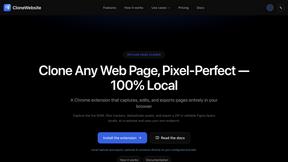
CloneWebsite
Clone any webpage pixel-perfect, export HTML/CSS/ZIP or React/Vue components.
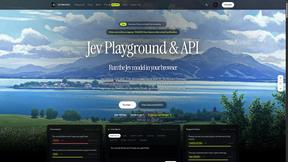
JevModel
AI decision workbench that compares model answers side by side
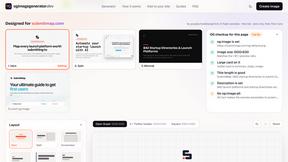
ogimagegenerator.dev
Paste a URL and AI designs on-brand Open Graph images from your page's colours, fonts and logo. Free, no sign-up.
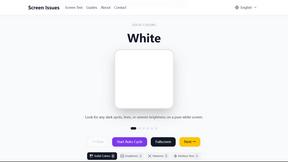
Screen Issues
Free Online Screen Test Tool - Instantly diagnose dead pixels, lines, color issues, and flickering. Multiple test modes, no download needed.
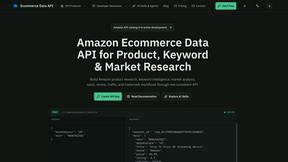
Ecommerce Data API
Amazon research data APIs for developers, sellers and AI agents. Integrate product, keyword and market research through REST APIs and MCP.