
Caption.IM
Caption.im provides real-time audio transcription, translation, and meeting summaries on your Mac, enhancing productivity and accessibility.
Visit
About Caption.IM
Caption.im is a cutting-edge AI captioning assistant specifically designed for macOS users. This innovative software transforms any audio from your Mac into real-time captions, instant translations, and well-structured meeting notes, all processed locally on your device to ensure privacy. Unlike traditional browser extensions or meeting bots, Caption.im directly captures system audio, making it compatible with virtually any application. Whether you are using Zoom, Google Meet, Microsoft Teams, or engaging with YouTube videos, podcasts, and online courses, Caption.im enhances your auditory experience by providing live subtitles and translations.
This versatile tool is perfect for remote workers, students, educators, and content creators who require accessibility and efficiency in their communication. Its local AI processing means that your conversations remain private, while the functionalities improve productivity and information equity. With Caption.im, you can easily generate live subtitles for discussions, translate multilingual content in real-time, record significant audio, and summarize lengthy discussions into actionable insights, making it an invaluable asset for anyone looking to streamline their communication processes.
Features of Caption.IM
Real-Time Transcription
Caption.im offers real-time transcription capabilities, enabling users to generate live captions for meetings, videos, podcasts, and calls. This feature ensures that important spoken content is accurately captured, making it easier to follow along and retain information.
Instant Translation
With instant translation functionality, Caption.im allows users to understand content in multiple languages through real-time translated subtitles. This feature is particularly beneficial for multilingual teams and international meetings, enhancing communication and collaboration across language barriers.
Floating Subtitle Window
The floating subtitle window provides an elegant and transparent overlay that works seamlessly with macOS. This feature enhances user experience by allowing captions to be viewed without disrupting the workflow, ensuring that users can stay focused on their tasks while accessing vital information.
AI Meeting Summaries
Caption.im automatically generates structured summaries and key insights after conversations, saving users time and effort. This feature is essential for professionals who need to distill long discussions into concise actionable items, ensuring that critical information is not lost.
Use Cases of Caption.IM
Remote Meetings
Caption.im is an ideal tool for remote meetings, providing real-time captions that help participants follow discussions easily, improving engagement and comprehension during video calls.
Online Learning
Students and educators can benefit from Caption.im in online learning environments by using real-time captions and translations to enhance understanding, especially in diverse classrooms with multilingual participants.
Multilingual Teams
For organizations with multilingual teams, Caption.im facilitates seamless communication by offering instant translations, ensuring that all members can contribute and understand discussions regardless of their native language.
Content Creation
Content creators can utilize Caption.im to generate subtitles for videos, making their content more accessible to a wider audience. It also helps in creating summaries of discussions, making it easier to produce concise content from longer dialogues.
Frequently Asked Questions
How does Caption.im ensure privacy?
Caption.im processes all audio and speech recognition locally on your device, meaning your conversations are never transmitted online. This privacy-first approach ensures that sensitive information remains secure.
Can I use Caption.im with any application?
Yes, Caption.im is designed to work with virtually any application on your Mac, including Zoom, Google Meet, Microsoft Teams, YouTube, podcasts, and online courses, allowing you to capture captions seamlessly.
Is Caption.im compatible with Apple Silicon?
Absolutely. Caption.im is optimized for Apple Silicon (M1, M2, M3, and later) to provide ultra-fast speech recognition with minimal latency and efficient power usage, enhancing overall performance on compatible devices.
What types of audio does Caption.im work with?
Caption.im can capture and process any audio available on your Mac, including live conversations, recorded videos, online lectures, and more, making it a versatile tool for various audio sources.
Explore more in this category:
Similar to Caption.IM
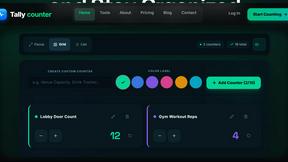
tallycounterweb.com
Online tally counter for tracking attendance, workouts, inventory, visitors, sports scores, habits, and everyday counting tasks.

iHatePosting
Social media scheduler to create once, customize per platform, and publish across 14 networks from one dashboard.

PDFWix
PDFWix is a free online PDF toolkit designed to make everyday PDF tasks simple, fast, and private.
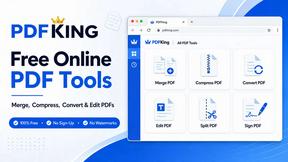
PDFKing
Free online PDF tools to merge, compress, convert, edit, sign, and manage documents—no signup, watermarks, or daily limits.



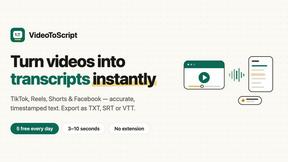
VideoToScript
Turn TikTok, Reels, Shorts, Facebook videos, audio, and video into accurate timestamped transcripts with TXT, SRT, and VTT exports.