RoomCreator
Transform any space instantly with RoomCreator's AI, turning photos into stunning designs without any design skills needed.
Visit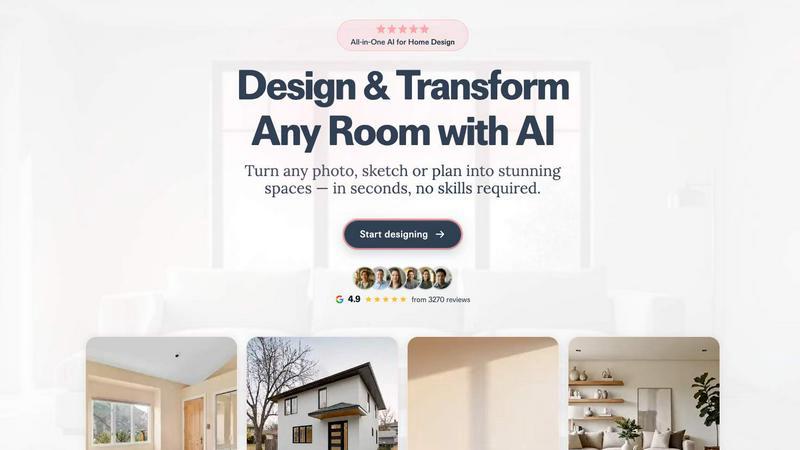
About RoomCreator
RoomCreator is an innovative AI-powered room design tool designed for homeowners, DIY enthusiasts, and real estate professionals. This user-friendly platform allows users to upload a photo of any room, whether it's a kitchen, living room, bedroom, or even exterior spaces, and receive stunning redesigns in just 10 seconds, all without needing any design expertise. RoomCreator focuses on empowering users to visualize their spaces with ease and confidence, enabling quick renovations, color changes, and furniture arrangements. Whether you are planning a small upgrade or a full makeover, RoomCreator provides a realistic preview of your design ideas, helping you make informed decisions before investing in any changes. With its intuitive interface, instant results, and a variety of design styles, RoomCreator is the perfect solution for anyone looking to transform their environment into a dream space.
Features of RoomCreator
AI Room Design in 10 Seconds
With RoomCreator, users can upload a single photo and receive a complete room redesign in just 10 seconds. This rapid turnaround allows for immediate visualization of new styles and layouts, making it easy to experiment with different design ideas.
Smart Layouts for Improved Functionality
RoomCreator's smart layout feature enhances the flow and functionality of your space. The AI analyzes your room's dimensions and suggests optimal furniture arrangements that not only look good but also maximize usability, ensuring that every corner is thoughtfully designed.
Instant Color and Material Visualizations
Users can instantly change wall colors, flooring, and furniture in their uploaded images. This feature allows for seamless experimentation with various color palettes and materials, enabling homeowners to visualize how different elements will harmonize in their space.
Realistic 3D Previews with Natural Lighting
RoomCreator provides hyper-realistic 3D previews of redesigned spaces, complete with natural lighting effects. This realism helps users grasp how the design will look in their actual environment, making it easier to envision the desired outcome before any physical changes are made.
Use Cases of RoomCreator
Homeowners Looking to Redecorate
Homeowners can use RoomCreator to visualize potential changes in their living spaces before committing to renovations. By experimenting with styles and layouts, they can make confident decisions that reflect their personal taste and functional needs.
Real Estate Agents Enhancing Listings
Real estate agents can leverage RoomCreator to create captivating visuals for property listings. By transforming empty or outdated spaces into beautifully staged interiors, they can attract potential buyers and enhance the appeal of the properties they represent.
Investors Evaluating Renovation Potential
Individual investors can utilize RoomCreator to assess the renovation potential of properties. The ability to generate realistic visuals allows them to showcase investment opportunities for flips or rental properties, making presentations more compelling without incurring high staging costs.
Designers Seeking Quick Concept Visualizations
Interior designers can benefit from RoomCreator as a tool for quickly visualizing concepts and ideas. By uploading sketches or photos, they can generate photorealistic images that help clients understand design directions and make prompt decisions.
Frequently Asked Questions
How does RoomCreator work?
RoomCreator operates by allowing users to upload a photo of a room. The AI then analyzes the image and generates a redesigned version in seconds, showcasing various styles, layouts, and colors.
Do I need any design skills to use RoomCreator?
No, RoomCreator is designed for users of all skill levels. Its intuitive interface and instant results make it accessible for everyone, from DIY enthusiasts to professional designers.
Can I use RoomCreator for outdoor spaces?
Yes, RoomCreator includes an exterior design feature that allows users to visualize changes to the outside of their homes. You can test different paint colors and landscaping ideas with ease.
Is there a free trial available?
Yes, RoomCreator offers a free trial with 10 credits, allowing users to explore its features without any credit card requirement. This enables potential customers to experience the tool's capabilities firsthand.
Similar to RoomCreator

tallycounterweb.com
Online tally counter for tracking attendance, workouts, inventory, visitors, sports scores, habits, and everyday counting tasks.

PDFKing
Free online PDF tools to merge, compress, convert, edit, sign, and manage documents—no signup, watermarks, or daily limits.

Built2WinWeb AI SEO
Custom PHP websites, AI Indexing Pack ($599 one‑time), and WebAgentScan SaaS ($9/mo). MCP, A2A, llms.txt, full ownership.


Wisegrid
Wisegrid helps project-driven teams manage projects, workflows, resources, and reporting in a familiar spreadsheet-style workspace.