
Caesura
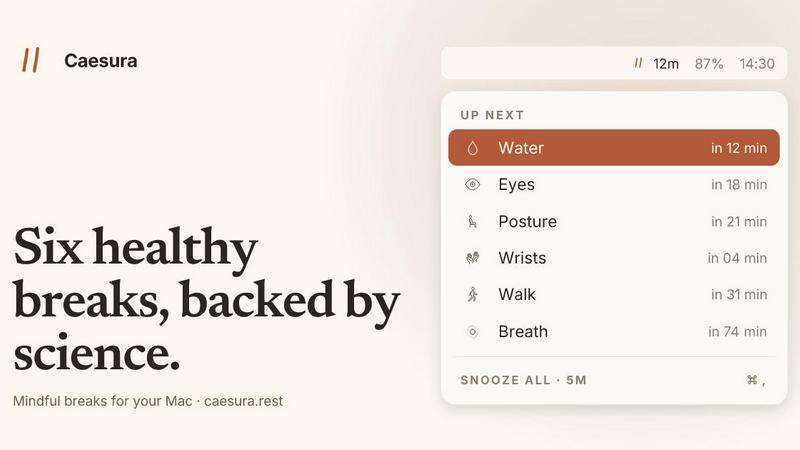
Caesura is a macOS menu-bar app that reminds you to drink water, stretch, rest your eyes, and breathe on science-backed intervals.
VisitPublished on:
June 26, 2026
Pricing:
About Caesura
Caesura is a calm, minimalist macOS menu-bar break manager designed for knowledge workers, developers, designers, and anyone who spends prolonged hours at a desk. Unlike conventional break reminders that use arbitrary intervals or intrusive pop-ups, Caesura is built on scientific research to prompt six essential health habits: drinking water, walking, stretching your wrists, resting your eyes, checking your posture, and breathing. Each break operates on its own independent schedule, with intervals derived from peer-reviewed studies rather than round numbers. The application intelligently coalesces reminders that fall within one minute of each other into a single, gentle break, ensuring you are never interrupted twice in a row. Caesura respects your workflow by automatically pausing during video calls, screen sharing, fullscreen applications, Do Not Disturb mode, calendar events, and games, then resuming exactly where it left off. There are no accounts to create, no telemetry tracking, and no subscription fees. It is a one-time purchase for macOS 14 and later, with a 14-day free trial available. The core value proposition is simple: provide timely, evidence-based nudges that keep you healthy without breaking your focus or adding clutter to your digital life.
Features of Caesura
Six Evidence-Based Breaks
Caesura targets six specific health habits, each with an interval backed by scientific research. Water every 45 minutes (Per Ganio, 2011; EFSA, 2010), walking every 60 minutes (Diaz, 2023; Buffey, 2022), wrist stretches every 30 minutes (Van den Heuvel, 2003), eye rests every 20 minutes (Rosenfield, 2011; Talens-Estarelles, 2023), posture shifts every 30 minutes (Slater and O'Sullivan, 2019), and breathing exercises every 90 minutes (Russo, 2017). Each break is individually configurable, allowing you to turn any off or adjust its interval.
Intelligent Coalescing and Flow Respect
When two reminders fall due within one minute of each other, Caesura coalesces them into a single break prompt, preventing double interruptions. The application monitors your camera, screen sharing status, calendar events, fullscreen apps, Do Not Disturb mode, games, and active FaceTime calls. During any of these activities, all timers freeze and resume exactly where they left off. If you had 12 minutes remaining until a water break, you still have 12 minutes after your call ends.
Three Customizable Prompt Styles
Each break can be assigned one of three distinct notification styles. The overlay style takes over your screen until you press Return, ideal for breaks you might otherwise ignore. The banner style slides in from the menu bar and auto-dismisses after 30 seconds, providing a gentle nudge. The notification style uses a standard macOS notification for the lightest possible touch. You can set different styles for different breaks, such as a full overlay for water and a banner for eye rests.
Guided Break Experiences with Visual Aids
Caesura provides detailed guidance within each break. The breathing guide features a soft expanding orb and a progress bar to pace your inhale, hold, and exhale over three cycles. The eye break includes a small pill that follows your cursor with a 20-second countdown ring. The wrist stretch overlay displays four illustrated stretches, each lasting ten seconds. These visual aids ensure you perform the break correctly without needing external instructions.
Use Cases of Caesura
Preventing Repetitive Strain Injury for Developers
Software developers who spend eight or more hours typing daily can use Caesura to enforce regular wrist stretches every 30 minutes. The guided four-stretch overlay prevents the accumulation of tension in the hands and forearms, while the automatic pause during coding sprints or debugging sessions ensures the reminders do not disrupt deep focus. The evidence-based interval aligns with research on reducing repetitive strain injury risk.
Maintaining Hydration During Remote Work
Remote workers who forget to drink water while immersed in tasks can rely on the 45-minute water break. Caesura's overlay style ensures the reminder is impossible to ignore, and the coalescing feature prevents it from pairing with another break. The application pauses during video calls, so the reminder does not appear while you are presenting or in a client meeting, resuming the timer afterward.
Reducing Eye Strain for Graphic Designers
Graphic designers and video editors who stare at high-resolution screens for extended periods benefit from the 20-20-20 eye break rule enforced by Caesura. The cursor-following countdown pill makes it easy to look away from the screen for exactly 20 seconds without losing your place. The banner notification style provides a gentle reminder that does not disrupt the creative flow, and the break pauses during fullscreen previews.
Encouraging Movement for Office Workers
Office workers who sit for prolonged periods can use the 60-minute walking break to stand up and move for two to five minutes. Caesura's research-backed interval ensures the break occurs before sedentary behavior becomes harmful, and the automatic pause during screen sharing or presentations prevents embarrassment. The breathing break every 90 minutes provides a structured moment to reset stress levels during high-pressure workdays.
Frequently Asked Questions
How does Caesura detect when I am busy?
Caesura monitors your Mac's camera status, screen sharing activity, calendar events, fullscreen applications, Do Not Disturb mode, games, and active FaceTime calls. When any of these are detected, all break timers freeze immediately and resume exactly where they left off once the activity ends. The application does not record or transmit any data; all detection happens locally on your machine.
Can I customize the interval for each break?
Yes, each of the six breaks has a default interval based on scientific research, but you can adjust any interval to your preference. You can also turn off any break entirely if you do not need it. The intervals are independent, so changing the water break does not affect the walking break. This flexibility allows you to tailor the app to your specific health needs and daily routine.
What happens if two breaks are due at the same time?
Caesura intelligently coalesces any two reminders that fall within one minute of each other into a single break prompt. For example, if your wrist stretch and eye rest are both due within 60 seconds, you will receive one notification that covers both activities. This prevents double interruptions and maintains your focus while still ensuring you complete both health tasks.
Is there a subscription or account required?
No. Caesura is a one-time purchase for $15 with no subscription fees, no account creation, and no credit card required for the 14-day free trial. The application does not collect any telemetry data, and there is no cloud component. Your settings and preferences are stored locally on your Mac. This privacy-first approach ensures your data never leaves your device.
Pricing of Caesura
Caesura is available as a one-time purchase for $15. This includes all current and future features with no subscription fees. A 14-day free trial is available with no credit card required and no account creation. The application requires macOS 14 or later and is compatible with Intel and Apple Silicon Macs. The purchase is a single license for personal use on one Mac.
Similar to Caesura
PrettyScale
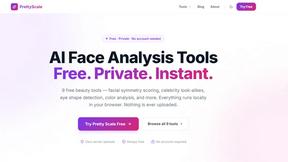
PrettyScale offers a suite of free, private AI beauty tools that run instantly in your browser with no uploads or account needed.

Burge Coffee
Burge Coffee is a free, no-account home roasting guide with tools, roaster maps, and stories for coffee obsessives.
On Music AI
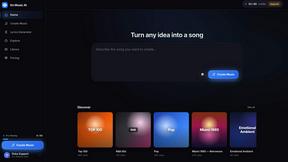
On Music AI transforms text or lyrics into complete songs with vocals, beats, and instrumentals, offering free creation tools for any genre.
Bloom Plant ID
Bloom Plant ID uses AI to identify plants, diagnose diseases, and send personalized care reminders for healthier growth.

Holly AI
Holly AI automates patient scheduling and front desk tasks, helping clinics grow by reducing staff burnout and capturing more revenue.